Skip to Content

JUNIOR COHORT (AGES 13–16)

 Building Skills for the Digital Future

Why Register?  

Move past basic tech. Build actual AI projects while learning to use these tools responsibly for school success. 


01

Technical Skill-Up: Master foundational Python logic to automate tasks and build helpful AI agents.


02

Academic Edge: Learn to use LLMs like ChatGPT responsibly to improve research efficiency and study habits.


03

Team Leadership: Act as a Student Team Lead for a group of 10, managing project workflows and collaboration.


04

Digital Responsibility: Learn to build "Safety Filters" to ensure AI remains helpful and ethical.


PROGRAM COST

Two-Week Summer Incubator 

  • Fee: $299 per participant.
  • Certification: Certificate of Completion from ELF Foundation.
  • Batches: 
  • Batch 1: June 22 – July 3, 2026
  • Batch 2: July 6 - July 17, 2026
  • Batch 3:July 27 - Aug 7, 2026
  • Batch 4: Aug 10 - Aug 21, 2026

What You Will Need (Requirements)

  • Hardware & Equipment
  • Computer: A functional laptop or desktop computer (Windows, macOS, or ChromeOS).
  • Video & Audio: A working webcam and microphone. 
  • Privacy & Security: A webcam cover is highly recommended for safe digital learning. 
  • Reliable Internet: A stable, high-speed internet connection capable of supporting daily live, synchronous interactive sessions with international instructors.
  • Web Browser: Access to an internet-connected browser (Google Chrome or Mozilla Firefox recommended) to run cloud-based AI tools, Large Language Models (LLMs), and team collaboration platforms.
  • E-learning & Collaboration Tools: Access to gamified AI exploration suites & Roblox installation for interactive development and AI project challenges.
Register Now

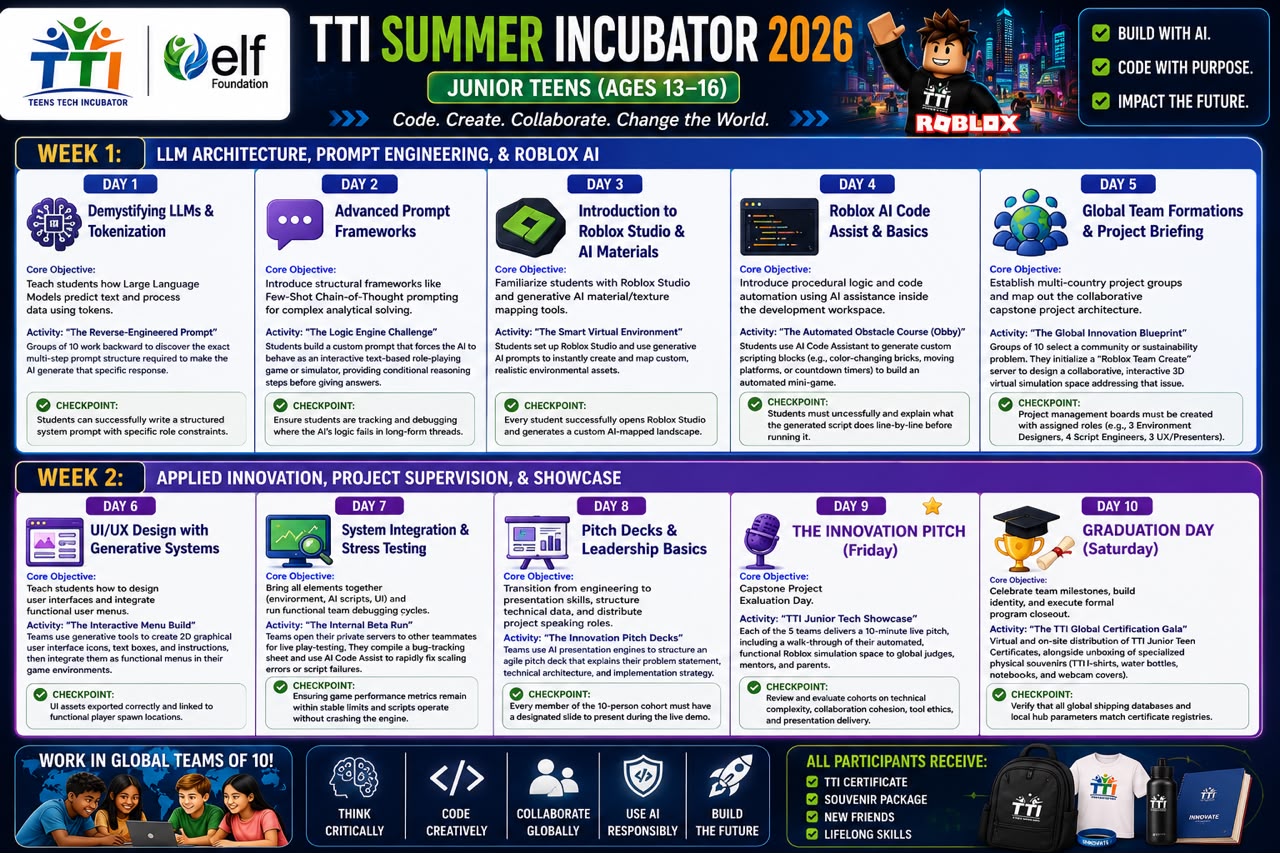
WEEK 1: LLM ARCHITECTURE, PROMPT ENGINEERING, & ROBLOX AI


Day 1: Demystifying LLMs & Tokenization

Core Objective:

Teach students how Large Language Models predict text and process data using tokens.

Key AI Tools to Use:

Commercial LLMs (ChatGPT, Claude, or Google Gemini).

Step-by-Step Classroom Activity:

Activity: "The Reverse-Engineered Prompt"

Students are given a highly complex text output. Groups of 10 must work backward to discover the exact multi-step prompt structure required to make the AI generate that specific response.

Checkpoint: Students can successfully write a structured system prompt with specific role constraints.


Day 2: Advanced Prompt Frameworks

Core Objective:

Introduce structural frameworks like Few-Shot Chain-of-Thought prompting for complex analytical solving.

Key AI Tools to Use:

Advanced LLM Sandboxes.

Step-by-Step Classroom Activity:

Activity: "The Logic Engine Challenge"

Students build a custom prompt that forces the AI to behave as an interactive text-based role-playing game or simulator, providing conditional reasoning steps before giving answers.

Checkpoint: Ensure students are tracking and debugging where the AI's logic fails in long-form threads.

Day 3: Introduction to Roblox Studio & AI Materials

Core Objective:

Familiarize students with the Roblox Studio interface and introduce generative AI material/texture mapping tools.

Key AI Tools to Use:

Roblox Studio, Luau Scripting Editor, Roblox AI Material Generator.

Step-by-Step Classroom Activity:

Activity: "The Smart Virtual Environment"

Students set up their first localized Roblox development space and use built-in generative AI prompts to instantly create and map custom, realistic environmental assets.

Checkpoint: Every student successfully opens Roblox Studio and generates a custom AI-mapped landscape.


Day 4: Roblox AI Code Assist & Basics

Core Objective:

Introduce procedural logic and code automation using AI assistance inside the development workspace.

Key AI Tools to Use:

Roblox Studio AI Code Assistant, basic Luau scripts.

Step-by-Step Classroom Activity:

Activity: "The Automated Obstacle Course (Obby)"

Students use the AI Code Assistant to generate custom scripting blocks (e.g., color-changing bricks, moving platforms, or countdown timers) to build an automated mini-game.

Checkpoint: Students must understand and explain what the generated script does line-by-line before running it.


Day 5: Global Team Formations & Project Briefing

Core Objective:

Establish multi-country project groups and map out the collaborative capstone project architecture.

Key AI Tools to Use:

Trello or Notion boards, Miro, Shared Roblox Team Create workspaces.

Step-by-Step Classroom Activity:

Activity: "The Global Innovation Blueprint"

Groups of 10 select a community or sustainability problem. They initialize a "Roblox Team Create" server to design a collaborative, interactive 3D virtual simulation space addressing that issue.

Checkpoint: Project management boards must be created with assigned roles (e.g., 3 Environment Designers, 4 Script Engineers, 3 UX/Presenters).


WEEK 2: APPLIED INNOVATION, PROJECT SUPERVISION, & SHOWCASE


Day 6: UI/UX Design with Generative Systems

Core Objective:

Teach students how to design user interfaces and integrate functional user menus inside their virtual spaces.

Key AI Tools to Use:

Canva Magic Design, Roblox UI Tools, AI Image Generators.

Step-by-Step Classroom Activity:

Activity: "The Interactive Menu Build"

Teams use generative tools to create 2D graphical user interface icons, text boxes, and instructions, then integrate them as functional menus in their game environments.

Checkpoint: UI assets exported correctly and linked to functional player spawn locations.


Day 7: System Integration & Stress Testing

Core Objective:

Bring all elements together (environment, AI scripts, UI) and run functional team debugging cycles.

Key AI Tools to Use:

Roblox Team Create, Group Debugging consoles.

Step-by-Step Classroom Activity:

Activity: "The Internal Beta Run"

Teams open their private servers to other teammates for live play-testing. They compile a bug-tracking sheet and use AI Code Assist to rapidly fix scaling errors or script failures.

Checkpoint: Ensuring game performance metrics remain within stable limits and scripts operate without crashing the engine.


Day 8: Pitch Decks & Leadership Basics

Core Objective:

Transition from engineering to presentation skills, structure technical data, and distribute project speaking roles.

Key AI Tools to Use:

Google Slides or Gamma App (AI presentation generator).

Step-by-Step Classroom Activity:

Activity: "The Innovation Pitch Decks"

Teams use AI presentation engines to structure an agile pitch deck that explains their problem statement, technical architecture, and implementation strategy.

Checkpoint: Every member of the 10-person cohort must have a designated slide to present during the live demo.


Day 9:  THE INNOVATION PITCH (Friday)

Core Objective:

Capstone Project Evaluation Day.

Key AI Tools to Use:

Live stream studio, shared screen gaming inputs.

Step-by-Step Classroom Activity:

Activity: "TTI Junior Tech Showcase"

Each of the 5 teams delivers a 10-minute live pitch, including a walk-through of their automated, functional Roblox simulation space to global judges, mentors, and parents.

Checkpoint: Review and evaluate cohorts on technical complexity, collaboration cohesion, tool ethics, and presentation delivery.


Day 10: 🎓 GRADUATION DAY (Saturday)

Core Objective:

Celebrate team milestones, build identity, and execute formal program closeout.

Key AI Tools to Use:

Digital Certification Engines, Local Vendor Stream Hubs.

Step-by-Step Classroom Activity:

Activity: "The TTI Global Certification Gala"

Virtual and on-site distribution of TTI Junior Teen Certificates, alongside unboxing of specialized physical souvenirs (TTI T-shirts, water bottles, notebooks, and webcam covers).

Checkpoint: Verify that all global shipping databases and local hub parameters match certificate registries.